

We use essential cookies to make our site work. With your consent, we may also use non-essential cookies to improve user experience and analyze website traffic. By clicking “Accept,” you agree to our website's cookie use as described in our Cookie Policy and Privacy Policy. You can change your cookie settings at any time by clicking “Preferences.”
 
 
Enhanced Customer Search in Amazon Connect
3+ Search Attributes: Email, Member ID & Phone
Real-Time Profile Association Linked to ContactId
1 Single Search Point Inside Agent Workspace


Case Study · Amazon Connect Profile Association
Enhanced Customer Search
Real-Time Customer Identification and Profile Association on Amazon Connect, Using a Third-Party Search App
 
Contact centres rely on knowing who they are talking to. When a customer is recognised automatically, the agent can greet them by name, see their history and move straight to the problem. But automatic identification is never perfect. Callers use new phone numbers, chat customers arrive as unauthenticated guests, and details do not always match what is on file.
 
When that happens, agents are left without a customer profile. They ask the customer to repeat details, hunt through multiple external systems, or carry on without any context, and the interaction ends up completely detached from the customer it belongs to.
 
OPERATIONAL OBJECTIVE
"When our systems cannot recognise a caller, our agents are left guessing. We need them to be able to search for the customer using whatever they have to hand — an email address, a member ID or a phone number — and attach the right profile to the conversation while it is still happening. We do not want to build this from scratch; we want a reliable tool that works inside the agent’s existing workflow."
— Head of Contact Centre Operations
 
The Challenge
 
When a contact is not automatically identified, agents have to establish who the customer is under pressure while on live calls or chats.
 
Two Core Identification Barriers
 
Problem 1 — No dependable way to search for a customer: When a contact was not automatically matched, agents had no single, fast mechanism to look up a profile. They needed to search by whatever the customer could provide — email address, member ID, or phone number — without navigating across multiple external portals.
 
Problem 2 — Profiles were not tied to the interaction: Even when an agent found the right customer, there was no seamless way to attach that profile to the live contact record. The interaction was not recorded against the customer, compromising history, reporting, and future follow-ups.
The Unidentified Caller Friction Chain:
Unrecognized Phone / Guest Chat➔Agent interrogates customer for details➔Manual search in siloed systems➔Interaction detached from profile
 
 
Key Challenges
 
⏳
Slow Customer Identification
 
Agents ask customers to repeat details, navigate several screens and still cannot find the right profile record quickly.
🧩
Fragmented Interaction History
 
Contacts left unlinked to a profile sit outside customer history, forcing the next agent to start from scratch.
🔁
Repeat Verification & Frustration
 
Customers are asked the same questions on every contact, lengthening handle time and eroding customer trust.
👤
Weak Personalisation
 
Without a confirmed profile, agents cannot view membership tiers, past resolutions, open issues or preferences during conversations.
📉
Unreliable Journey Reporting
 
Unlinked contacts distort customer-level metrics such as repeat contact rate, journey attribution, and satisfaction trends.
 
 
How It Works — Step-by-Step
 
The solution adds a customer search capability directly into the agent’s workflow, using a third-party app that searches customer profiles and associates the selected record to the contactId. Nothing changes for auto-matched contacts; the tool engages only when needed.
 
Step 1
Inbound Contact & Auto-ID Attempt

A contact arrives in Amazon Connect. The contact flow attempts to identify the customer automatically (e.g., matching incoming phone number to an existing profile).

Step 2
Unidentified Flagging & App Surface

If no confident match is found, the contact is flagged as “unidentified” and the agent is presented the third-party customer search app alongside the live interaction.

Step 3
Multi-Attribute Agent Search

The agent searches by whichever attribute the customer provides: email address, member ID, or phone number. The app queries the customer data source and returns matching profiles.

Step 4
Profile Verification & Selection

The agent reviews the returned results and confirms the correct customer, using rich profile details to ensure accurate identification before proceeding.

Step 5
Real-Time ContactId Association

On selection, the app associates the chosen customer profile with the active contactId in real time while the interaction is still live on the agent desktop.

Step 6
Persistent Context & Reporting

With the profile attached, the agent has full customer context for the conversation, and the interaction is saved against the customer for longitudinal reporting and audit.

 
Practical Example
 
Flexible Search Across Scenarios
 
Two agents at the same company, on the same day, each facing a contact that was not automatically identified. The contrast demonstrates how multi-attribute search resolves disparate customer journeys:
 
  • Agent A: Resolves the caller's profile in seconds using member ID, and the call is bound directly to the member's account.
  • Agent B: Avoids erroneous profile linking by comparing similar email records before associating.
  • Result: Both interactions are stored against the right customer profile, ready for the next agent.
Agent A · Caller Not Recognised
New Mobile Phone Number
Search Attribute: Member ID (read from customer card)
  • Opens search app directly inside the contact workspace
  • Enters member ID and confirms single profile match
  • Profile associated with contactId in real time
Agent B · Guest Chat
Unauthenticated Web Chat
Search Attribute: Email address (shared during chat)
  • Searches customer profiles by email address
  • Compares similar records using address and details
  • Selects and binds confirmed profile to active chat session
 
 
Before vs. After — The Operational Difference
 
AREA
BEFORE
AFTER
 
Finding the Customer
Agents asked repeated questions and searched across several systems with no standardized tool when auto-matching failed.
Agents search one place using email, member ID or phone number, reviewing matching profiles in the same workspace.
Linking the Interaction
Unidentified contacts remained unlinked, or were matched manually after the call ended (if at all).
The chosen profile is associated with the contactId in real time, so the link exists while the conversation is active.
Customer Experience
Customers were repeatedly asked to restate information and could not receive personalised assistance.
Customers are identified rapidly, giving agents full context to personalise the conversation immediately.
Data and Reporting
Gaps in customer history made repeat-contact rates and journey reporting incomplete and untrustworthy.
Interactions are stored against the right customer, delivering unified and dependable analytics.
 
Solution Architecture
 
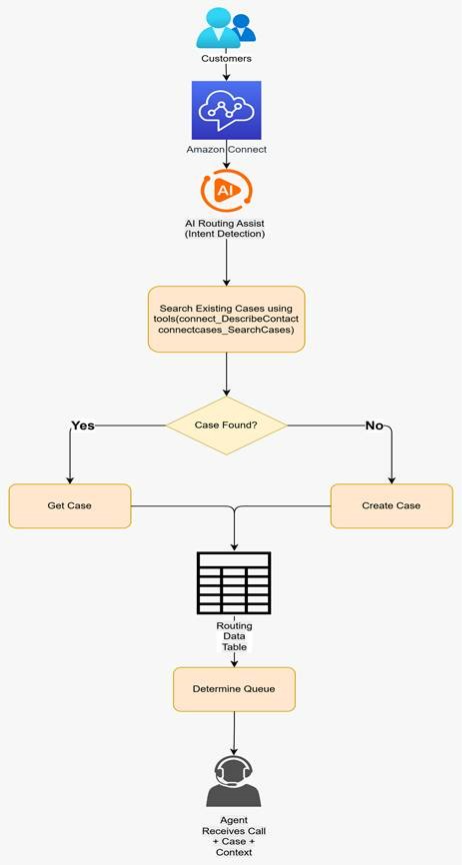
Enhanced customer search architecture: Contacts that are not auto-matched open the third-party search app, and the selected profile is linked to the contactId in real time.
 
Enhanced Customer Search Architecture
Preview
Architectural Layers
 
The end-to-end architecture connects telephony, search, and customer profile storage:
  1. Inbound Contact Flow: Amazon Connect IVR checks caller ID against customer profiles.
  2. Conditional Routing: Contacts without an exact profile match are flagged with an “unidentified” attribute.
  3. Embedded Search App: The third-party search application renders natively within the agent workspace.
  4. Multi-Attribute Query Engine: Queries customer repositories by email, member ID, or phone number.
  5. Real-Time Association: The selected profile ID is attached to the live Amazon Connect contactId.

 
Results & Operational Gains
 
Following the introduction of enhanced customer search, the client achieved five critical operational improvements:
 
3+
 
Search Attributes
Email, member ID, and phone number available to every agent.
Real-Time
 
Profile Association
Profile linked directly to the contactId during the live interaction.
One
 
Unified Search Point
Embedded inside the agent workflow, completely replacing system-hopping.
Fewer
 
Unlinked Contacts
Eliminates orphaned calls and chats with comprehensive profile binding.
Fuller
 
Customer History
Reporting reflects true customer journeys and accurate lifetime value.
 
Key Strategic Learnings
 
Delivering this solution produced four critical insights on customer identification in modern contact centers:
 
Insight 01
Identification should not be all-or-nothing
 
Automatic recognition will never cover 100% of contacts. Giving agents a fast fallback turns a missed match into a quick search rather than a permanently lost record.
Insight 02
Offer more than one way to search
 
Customers rarely have the same identifier to hand. Supporting email, member ID, and phone number allows the agent to use whatever information the caller provides.
Insight 03
Link the profile while the contact is live
 
Associating the profile with the contactId in real time means the agent benefits from rich history during the call, and interaction data is accurate from the start.
Insight 04
A proven third-party app can be the right choice
 
Using an existing search application inside the workflow delivers immediate capability without the cost and overhead of building and maintaining custom services.
 
Scale Your Success with Confidence
 
P3Fusion is audited and certified by industry-leading third-party standards.